Document the system. Verify the time. Share the report.
From the first site visit to the final PDF, keep your CCTV documentation in one case. Record the system and cameras, photograph the evidence trail, read the CCTV clock automatically with on-device OCR, then approve the reading to calculate the time offset.
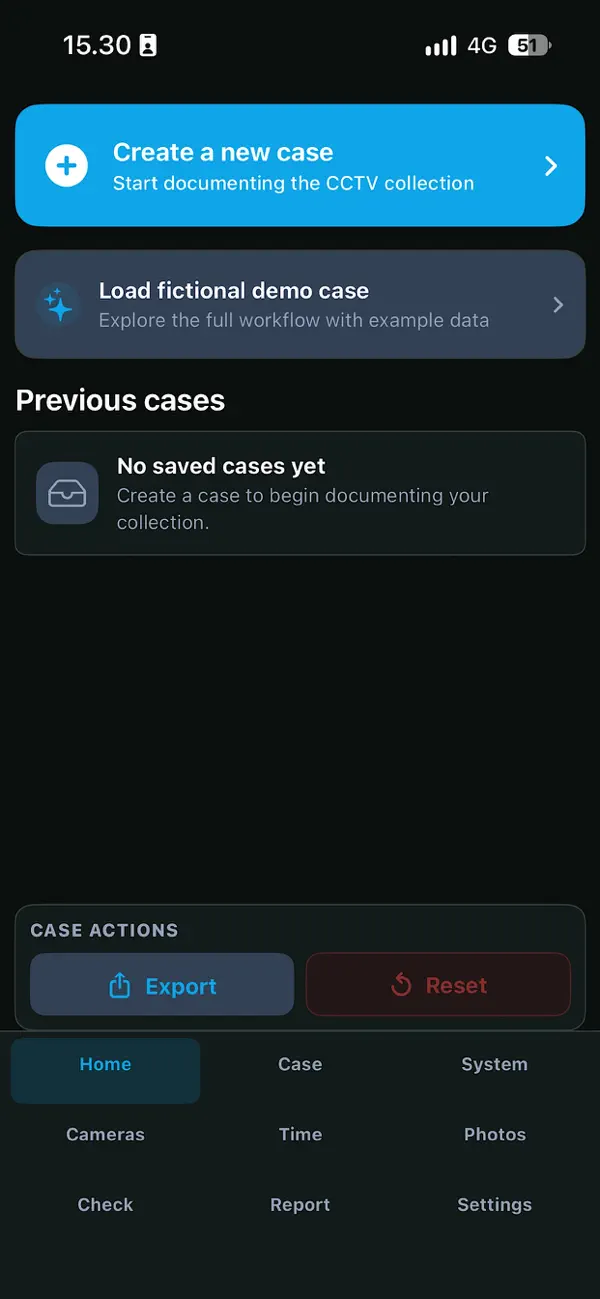
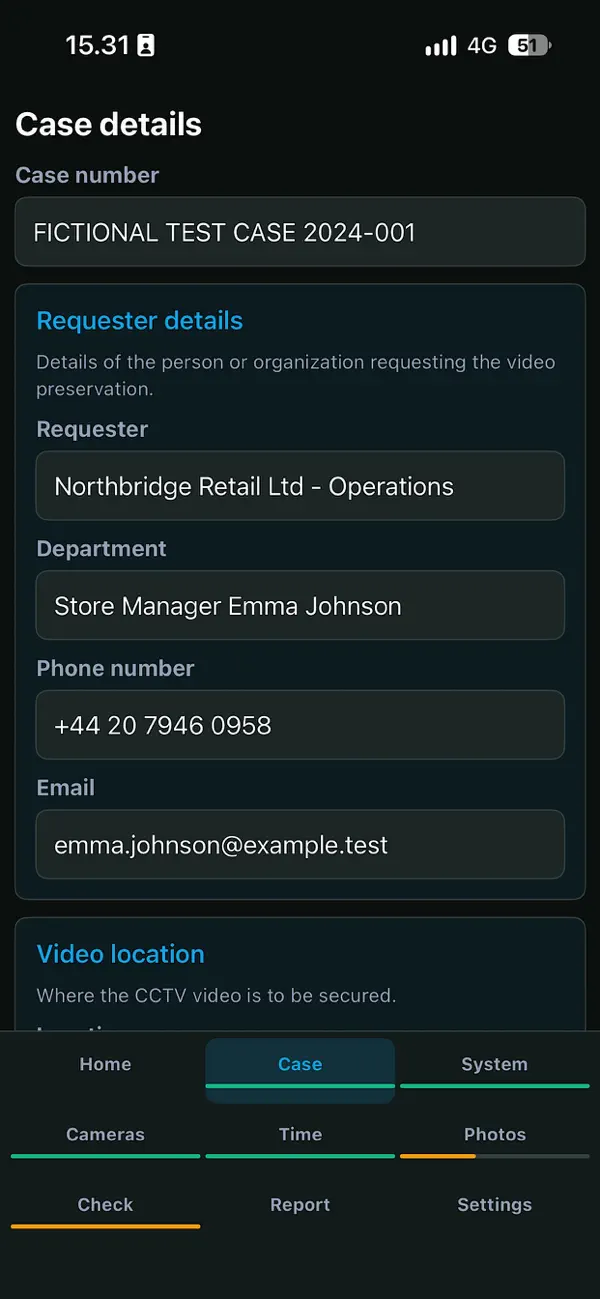
CCTV Collector is ready for the field.
A practical field companion for CCTV examination and collection. Follow a connected workflow on your iPhone, or explore the built-in fictional demo case to see how the screens fit together.
- A guided workflow from case registration to report
- Local case storage and on-device text recognition
- One-time purchase with no account or subscription required
Know what to record. Know what comes next.
Work through the case in order, with the details, photographs and checks kept together. The navigation lets you return to a section when you need to review or add information.
Create the case
Start a new case or reopen a saved one. Record the case number, requester, contact details, location and relevant time period.
Describe the CCTV system
Record the recorder type, manufacturer, model, camera count, relevant cameras and retention period.
Capture the camera overview
Photograph the screen showing the camera views so the case records what was visible at the system.
Examine the system time
Photograph the CCTV clock. Automatic OCR suggests the displayed date and time; review and approve it to calculate the offset.
Complete the documentation
Add equipment and connection photos, work through the quality checklist, and record any deviations that need attention.
Review and share the report
Review the collected information and recorded checks, add the relevant signature details, and save or share the PDF through iOS.
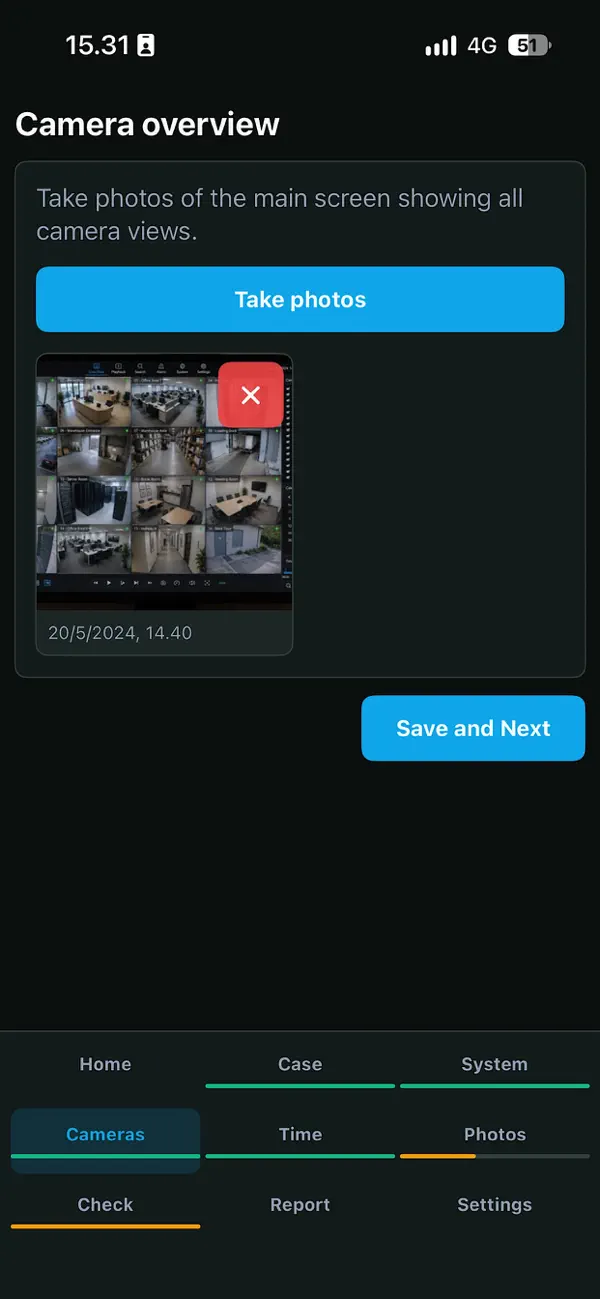
Show the camera coverage
Keep a photograph of the camera overview with the case, ready for later review.
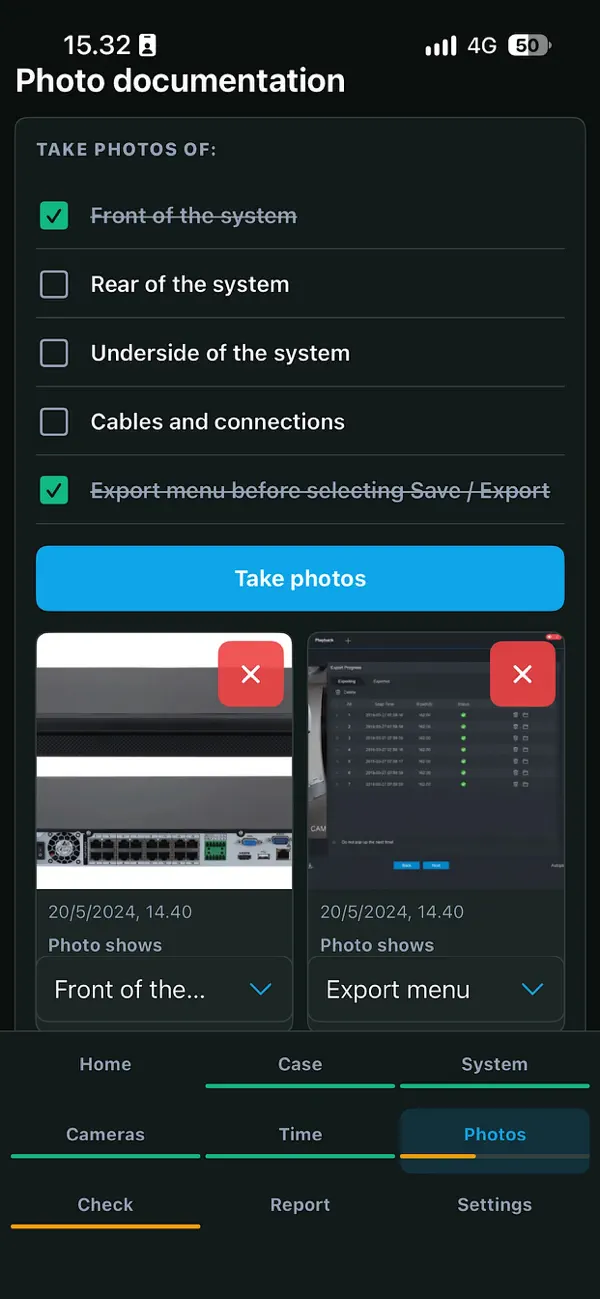
Build the photo record
Document the front, rear, underside, connections and export menu. Attach photographs and notes to the case.
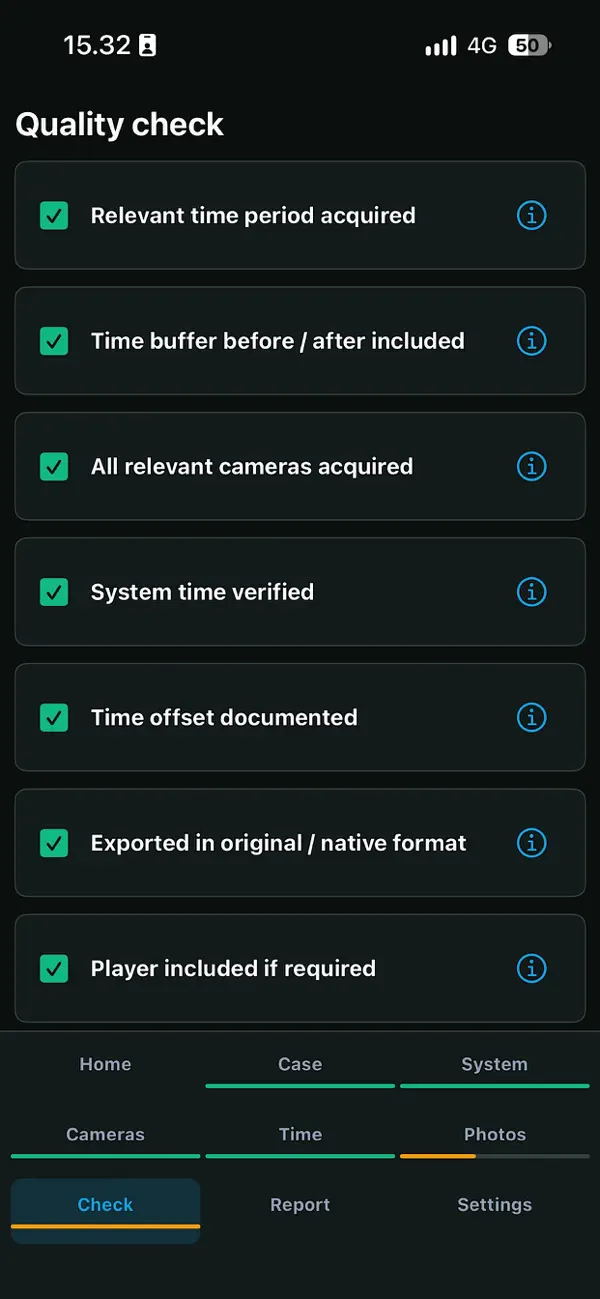
Check before you leave
Review the relevant period, cameras, time verification, export format and playback checks while the system is still available.
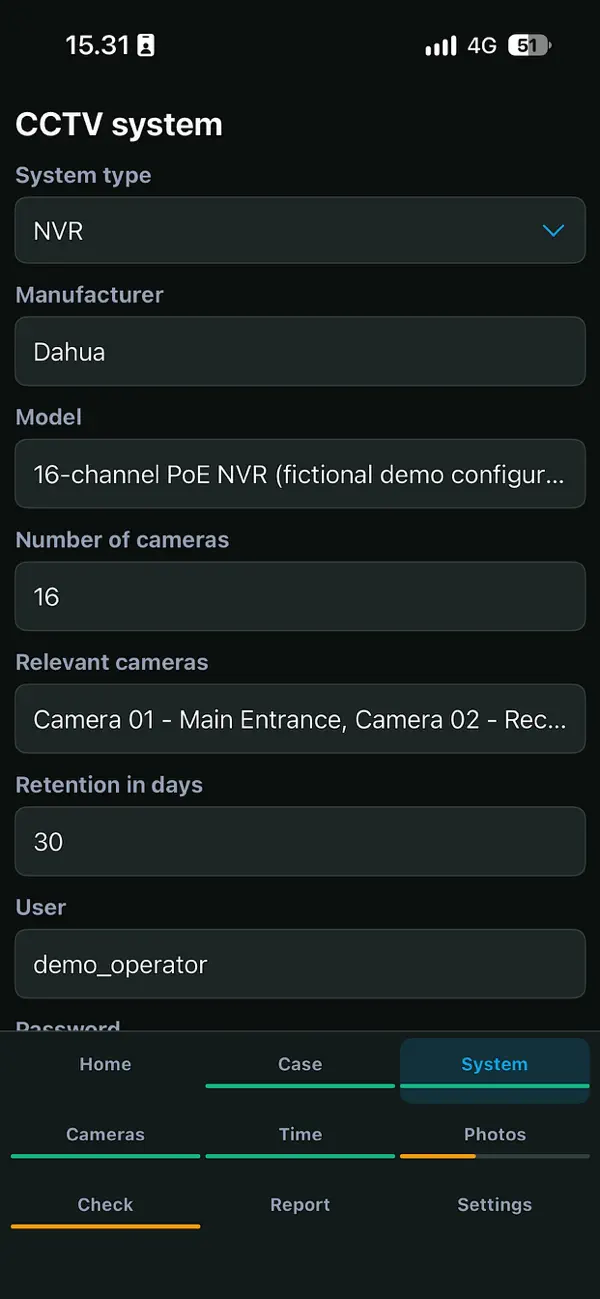
A clear record of the system you examined.
Capture the technical context alongside the case: recorder type, manufacturer, model, camera count, relevant channels and retention. Structured fields make it easier to revisit the work and understand the setup.
- Keep the requester, location and examination details in one case.
- Record the recorder and camera details in clearly labelled fields.
- Add supporting photographs and notes as you work.
- Record deviations so unresolved points remain visible.
Practical tools for each part of the examination.
CCTV Collector focuses on the practical documentation work surrounding an acquisition – not on playing or processing the CCTV footage itself.
Local case archive
Create, save, and reopen cases so every detail stays organised and available on iPhone.
Structured records
Document case data, requesting party, location, time period, and person responsible in a consistent format.
Technical overview
Record system type, model, camera count, retention, and other relevant CCTV system details.
Automatic time recognition
Read the photographed CCTV timestamp on your iPhone, review the suggested date and time, and approve the reading to calculate the offset against the recorded reference.
Complete photo trail
Keep the camera overview, system photos, cabling, and export menu together with the case.
Share-ready PDF
Create a complete report and share it through the standard iOS share sheet.
Photograph the CCTV clock.
Let the app read the time.
Reduce manual transcription during the time examination. CCTV Collector uses Apple Vision on your iPhone to read the text in the photograph and suggest the CCTV system date and time.
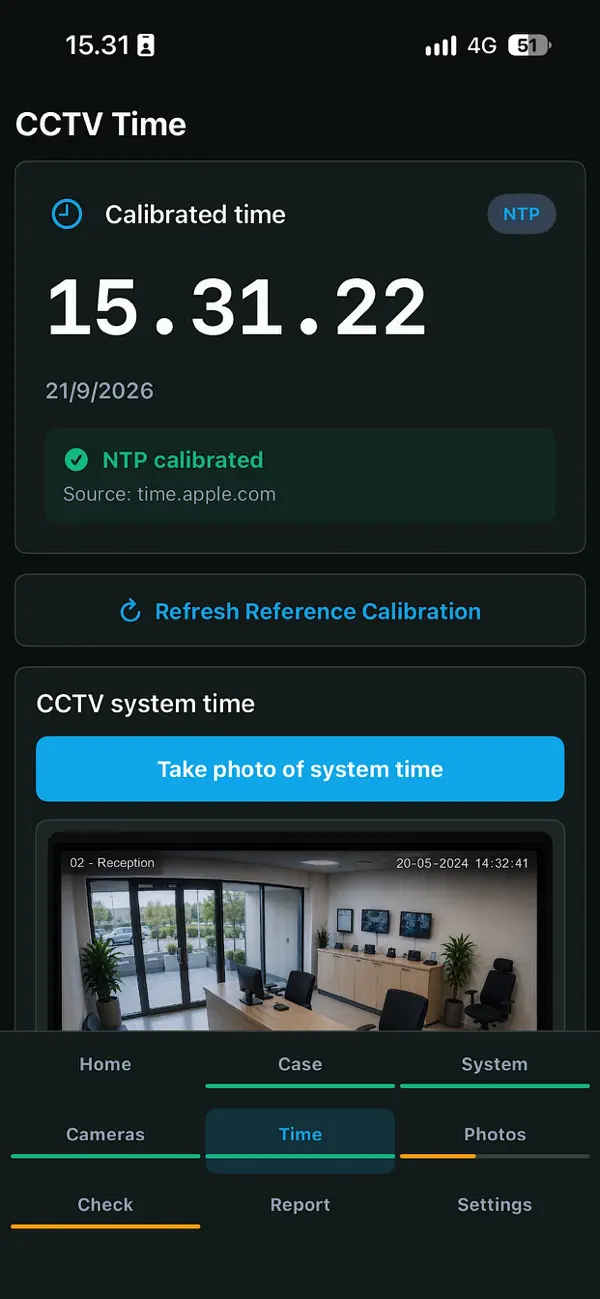
From photograph to documented offset
- Check the reference time. The app attempts to calibrate against an NTP time server. Check the displayed status and time source before the examination.
- Photograph the live CCTV clock. When the image is saved, the app records a reference time and starts OCR automatically. The photograph stays with the case.
- Review the suggested date and time. Compare the recognized text and suggested timestamp with the original photograph. You can run “Read Date and Time” again or correct the date, hours, minutes and seconds manually.
- Approve the reading. Tap “Approve Detected System Time” when the value is correct. The app calculates the difference and shows whether the CCTV clock is ahead of or behind the reference.
A blurred image, glare or an unfamiliar timestamp format may require a correction. If no usable date and time is found, enter it manually.
Keep the calculation and its context together.
The result records the approved CCTV time, reference time, time source, verification time, OCR status and whether you made a manual correction. The calculated offset stays with the case and is included in the report.
NTP calibration requires an internet connection. If no successful calibration is available, the app uses the device clock and identifies that source. Check it before approving the result.
Text recognition runs on the device. Your time photograph is not sent to a cloud OCR service.

Turn the case into a report you can review and share.
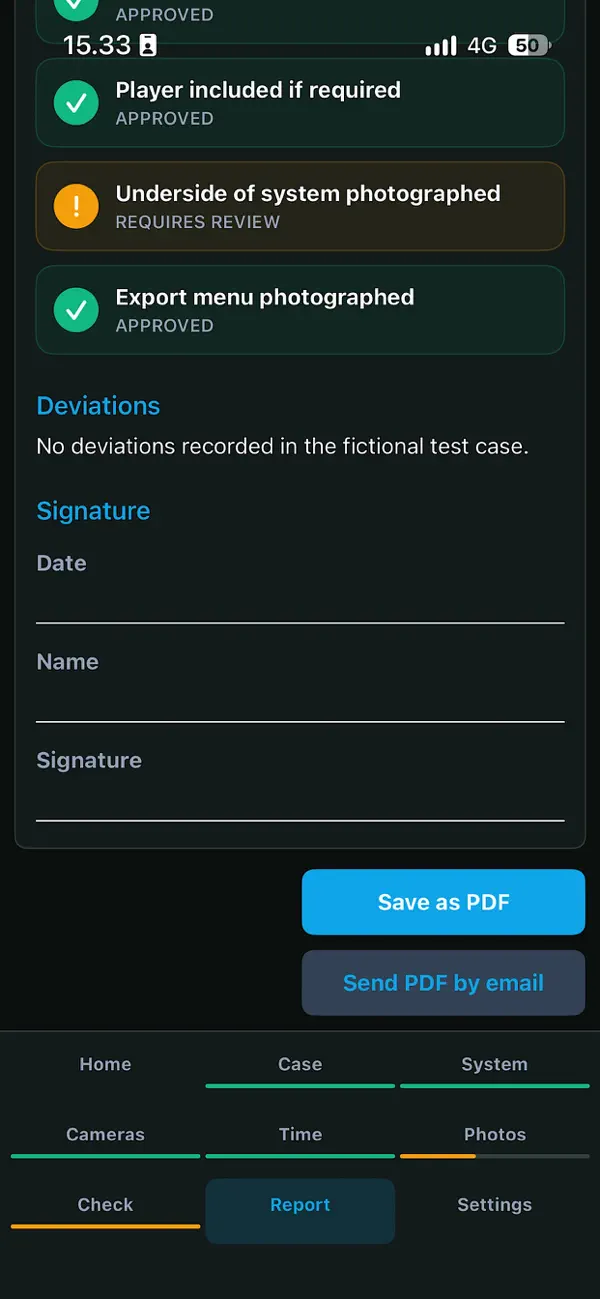
The report brings together your case and system details, supporting photographs, time examination, quality checks and deviations. Review the information, add the relevant signature details, and use the built-in PDF actions.
- See the documented details and checklist outcomes together.
- Include the approved time offset and its recorded reference source.
- Save as PDF or send through the available iOS sharing options.
Your data stays close to the work.
CCTV Collector is designed around local processing and user control.
Make CCTV documentation easier to manage.
Have questions, feedback, or an interest in the app? Get in touch. We would like to hear how CCTV Collector could fit into your work.
Need to verify a CCTV system clock?
Open CCTV Time Difference